Approx 3-year total
*Device + required product fees. Carrier costs are separate.
$80-200
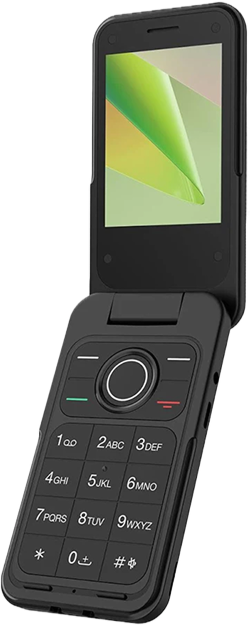
Usually a one-time hardware spend. You lose maps, music, and live location.
Perfect for parents
Want maximum simplicity and can live without smartphone extras.
Approx 3-year total
*Device + required product fees. Carrier costs are separate.
$80-200
Usually a one-time hardware spend. You lose maps, music, and live location.
Perfect for parents
Want maximum simplicity and can live without smartphone extras.
Approx 3-year total
*Device + required product fees. Carrier costs are separate.
$50-350
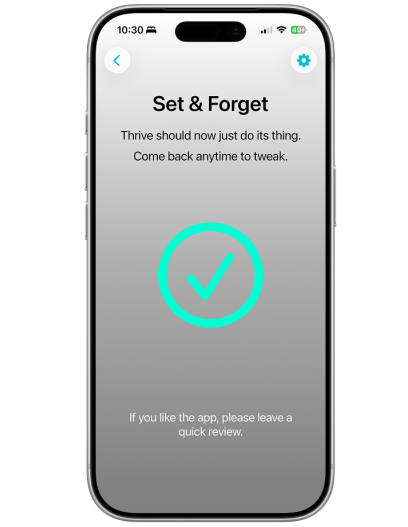
An existing iPhone plus Thrive lifetime can be just $50. A renewed iPhone 11 or SE plus Thrive lifetime is usually around $220-350.
Perfect for parents
Want a kid-safe iPhone with maps, music, and Find My.
Everyday basics

Can it handle the essential phone job without weird workarounds?
Simple calling and SMS is the whole point.
Core iPhone communication still works.

Can a child keep audio without opening the whole internet?
Usually FM radio or local MP3, not full streaming apps.
Music is one of the useful iPhone features parents can keep.

Can they get around town without borrowing someone else's phone?
Most basic flip phones skip modern navigation entirely.
Maps stays available, which is the whole adulting part.

Can a parent see where the device is in real time?
Basic phones generally miss the live family location layer.
Same iPhone location stack, just with fewer distractions.
Control and safety

What happens if you hand the phone over without extra setup?
Most flip phones simply do not support the usual social apps.
Thrive is built around cutting off social and endless scrolling apps.

Can a child add fresh distractions the moment your back is turned?
There is usually no real app store to abuse.
The parent setup is meant to shut down new app installs.

Can you meaningfully keep the internet in bounds?
Usually none or extremely limited on basic hardware.
The point is to keep what you approve and lose the rest.

Can a parent decide who gets through?
You can keep the phonebook small, but that is about it.
Still working through Apple's communication model rather than a dedicated contact gate.

Does the setup resist curious fingers and creative loopholes?
There is not much to bypass because there is not much there.
Built on Apple's parental controls with parent-protected settings.
Cost and fit

Upfront hardware spend, not including accessories or carrier fees.
Feature phones are typically the cheapest hardware path.
Best value when there is an older family iPhone already sitting around.

Parental control and service fees, separate from a normal carrier plan unless noted.
Usually just the carrier plan.
Subscriptions are optional instead: $29.99/yr or $4.99/mo.
How much setup and system learning does the parent really need?
Simple hardware, but basic old-school phone jobs still need to be learned.
Same iPhone basics, but Thrive cuts the setup down to a simpler parent flow.
Who each path suits when you strip away the marketing gloss.
Great for basic contact. Weak if you still need maps, music, or location tools.
Strong middle ground when you want a smartphone minus the usual mess.
Prices and product details were checked on April 10, 2026. Retailers, carriers, and regional availability can change, so please check the latest pricing yourself before buying.
Source notes
Pricing and feature access can change, so the links below are the source trail rather than marketing confetti.
Disclaimer
Flip phones win on simplicity, then lose hard once you need music, maps, or live location.
If a parent already knows basic iPhone jobs like contacts, Find My, and app installs, BYO iPhone + Thrive is usually the simplest capable path after a flip phone.